Introduction:
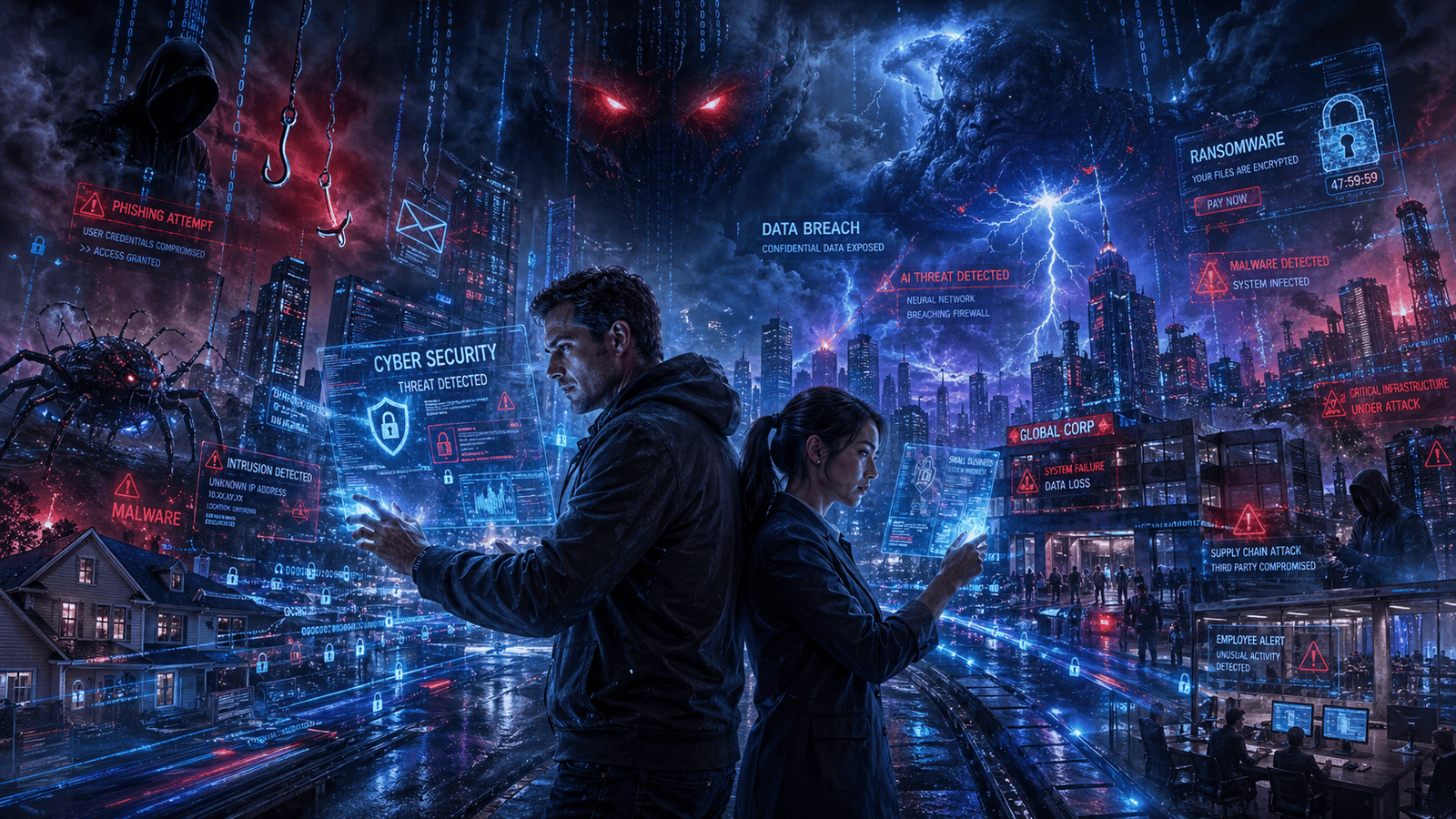
In today’s digital world almost everything happens online. We shop, bank, work, study and even store personal memories on the internet. But while technology makes life easier, it also opens the door to cyber threats. Every day hackers target people and businesses to steal money, personal data and sensitive information. The scary part? You don’t have to be a big company to become a victim. A student with a social media account, a small online store or a local business can all be targeted. Cybercriminals often look for easy opportunities and many attacks happen because people simply don’t know what to watch out for. In this blog we’ll break down the top cyber threats facing individuals and businesses, explain how these attacks work and share practical tips to stay safe online.

Why Cybersecurity Matters More Than Ever
Cybersecurity is no longer just an “IT problem.” It affects everyone. For individuals, cyberattacks can lead to:
- Stolen passwords
- Identity theft
- Empty bank accounts
- Hacked social media profiles
For businesses the damage can be even worse:
- Financial losses
- Customer data leaks
- Downtime and lost productivity
- Damage to reputation
As technology grows cyber threats are becoming smarter and more advanced. That’s why understanding these risks is the first step toward protection.
Top Cyber Threats Facing Individuals & Businesses
-
Phishing Attacks
Phishing is one of the most common cyber threats today. It happens when scammers pretend to be trusted companies or people to trick victims into sharing sensitive information.
How Phishing Works
You might receive:
- A fake email from your bank
- A text message asking you to “verify” your account
- A fake login page that looks real
Once you enter your password or banking details, hackers steal the information.
Example
Imagine getting an email saying your Netflix account is suspended. You click the link, log in and suddenly your password is stolen.
How to Stay Safe
- Never click suspicious links
- Check the sender’s email carefully
- Use two-factor authentication (2FA)
- Avoid downloading unknown attachments
-
Ransomware Attacks
Ransomware is a dangerous type of malware that locks your files or devices until you pay money to hackers.
Businesses are major targets because they often rely heavily on their data and systems.
Why It’s Dangerous
A ransomware attack can:
- Shut down company operations
- Lock important files
- Cause huge financial losses
Even individuals can lose personal photos, videos and documents.
Signs of Ransomware
- Files suddenly become inaccessible
- Strange messages demanding payment
- Slow or frozen systems
Prevention Tips
- Back up important files regularly
- Keep software updated
- Avoid downloading pirated software
- Use trusted antivirus protection
-
Password Attacks
Weak passwords are still one of the biggest cybersecurity risks.
Hackers use automated tools to guess passwords quickly. If your password is something simple like “123456” or “password,” your accounts are easy targets.
Common Password Mistakes
- Reusing the same password everywhere
- Using short passwords
- Sharing passwords with others
Better Password Habits
Use:
- Long passwords with symbols and numbers
- Different passwords for each account
- Password managers for secure storage
A strong password can stop many cyberattacks before they even start.
-
Malware Infections
Malware is harmful software designed to damage devices or steal information.
There are different types of malware including:
- Viruses
- Spyware
- Trojans
- Worms
How Malware Spreads
Malware often enters systems through:
- Unsafe downloads
- Fake apps
- Email attachments
- Infected websites
Real-Life Impact
Malware can:
- Steal personal information
- Track your activity
- Slow down devices
- Give hackers remote access
Safety Tips
- Download software only from trusted websites
- Keep your operating system updated
- Scan files before opening them
-
Social Engineering
Social engineering attacks target human emotions instead of technology.
Hackers manipulate people into giving away information by creating fear, urgency or trust.
Examples
- Someone pretending to be tech support
- Fake job offers
- Urgent calls claiming your account is compromised
These scams work because they feel personal and believable.
How to Protect Yourself
- Stay calm before reacting
- Verify requests independently
- Never share passwords over phone or email
-
Data Breaches
A data breach happens when sensitive information is stolen or exposed.
Businesses often store:
- Customer names
- Credit card details
- Email addresses
- Passwords
If hackers gain access, millions of records can leak online.
Why Data Breaches Matter
For businesses:
- Legal problems
- Loss of customer trust
- Financial penalties
For individuals:
- Identity theft
- Fraud
- Privacy issues
Prevention Strategies
- Encrypt sensitive data
- Limit employee access
- Regularly monitor systems
-
Wi-Fi and Network Attacks
Public Wi-Fi networks may seem convenient but they can be risky.
Hackers sometimes create fake Wi-Fi hotspots in places like:
- Cafes
- Airports
- Hotels
When people connect hackers can monitor their activity.
Risks of Public Wi-Fi
- Stolen passwords
- Access to banking information
- Device hacking
Staying Secure
- Avoid online banking on public Wi-Fi
- Use a VPN when possible
- Turn off automatic Wi-Fi connections
-
Insider Threats
Not all cyber threats come from outside hackers. Sometimes the danger comes from inside an organization.
An insider threat may involve:
- A careless employee
- A former worker with access
- Someone intentionally stealing data
Why Insider Threats Are Hard to Detect
Employees already have access to company systems making suspicious behavior harder to notice.
Reducing Insider Risks
- Limit access to sensitive files
- Train employees on cybersecurity
- Remove old employee accounts quickly
Our Experience
As a small tech team we’ve seen how cyber threats affect both businesses and regular users. One of the most common issues we encounter is phishing emails. Many people still click fake links because the messages look professional and urgent. We also worked with a small business that experienced ransomware after downloading unsafe software. The company lost access to important files for days, causing stress and delays. Luckily, they had backups, which helped them recover without paying hackers. Another lesson we’ve learned is that cybersecurity doesn’t need to be complicated. Simple habits like using strong passwords, updating software and being careful with emails can prevent many attacks. The biggest mistake people make is assuming, “It won’t happen to me.” Cybercriminals target everyone, especially those who feel safe and unprepared.
Best Cybersecurity Practices for Everyone
Here are some simple cybersecurity tips for individuals and businesses:
For Individuals
- Use strong and unique passwords
- Enable two-factor authentication
- Avoid suspicious links and downloads
- Keep devices updated
- Back up important files
For Businesses
- Train employees regularly
- Use secure cloud services
- Monitor networks for unusual activity
- Create a cybersecurity response plan
- Perform regular security audits
Small steps can make a huge difference.
Frequently Asked Questions (FAQ)
What is the biggest cyber threat today?
Phishing attacks are currently one of the biggest cyber threats because they target human behavior and are very common.
Can small businesses be targeted by hackers?
Yes. Small businesses are often targeted because they may have weaker security systems compared to large companies.
How can I tell if an email is fake?
Look for spelling mistakes, suspicious links, urgent messages or unusual sender addresses. If something feels off, don’t click.
Is antivirus software enough for protection?
No. Antivirus helps, but cybersecurity also requires strong passwords, software updates, safe browsing habits and employee awareness.
What should I do if my account gets hacked?
Change your password immediately, enable two-factor authentication and contact the platform or bank if sensitive information was involved.
Conclusion
Cyber threats are growing every year and both individuals and businesses need to take cybersecurity seriously. From phishing scams and ransomware attacks to data breaches and malware, online dangers can cause financial loss, stress and privacy issues. The good news is that many cyberattacks can be prevented with simple habits:
- Use strong passwords
- Stay alert online
- Update software regularly
- Avoid suspicious links and downloads
- Back up important data
Cybersecurity is not just for experts anymore it’s a basic skill everyone needs in the digital age. By understanding the top cyber threats facing individuals and businesses, you can stay safer online and protect what matters most.