Introduction: The Internet Isn’t as Safe as You Think
Most people use the internet every single day without thinking twice about cybersecurity. We scroll through social media, shop online, save passwords in browsers and click random links without much concern. Many people believe cyberattacks only happen to big companies or famous people. But the truth is anyone can become a target. Cybercriminals don’t always go after billion dollar corporations. Sometimes they target regular people because they know most users are less protected. One weak password or one fake email can be enough to cause serious problems. The biggest issue? A lot of people still believe outdated cybersecurity myths. These myths make people feel safer than they actually are. In this blog, we’ll break down the most common cybersecurity myths, explain why they’re wrong and share practical tips to help you stay safe online. Whether you’re a student, gamer, small business owner or casual internet user, understanding basic cybersecurity is more important than ever.
Why Cybersecurity Matters Today
Cybersecurity is all about protecting devices, accounts, networks and personal information from hackers and online threats. Today almost everything is digital:
- Banking
- Shopping
- Schoolwork
- Social media
- Business communication
- Cloud storage
That means your personal data is constantly online. If it falls into the wrong hands, it can lead to:
- Identity theft
- Financial loss
- Hacked accounts
- Privacy issues
- Lost files or photos
Understanding the truth behind cybersecurity myths can help you avoid these risks.
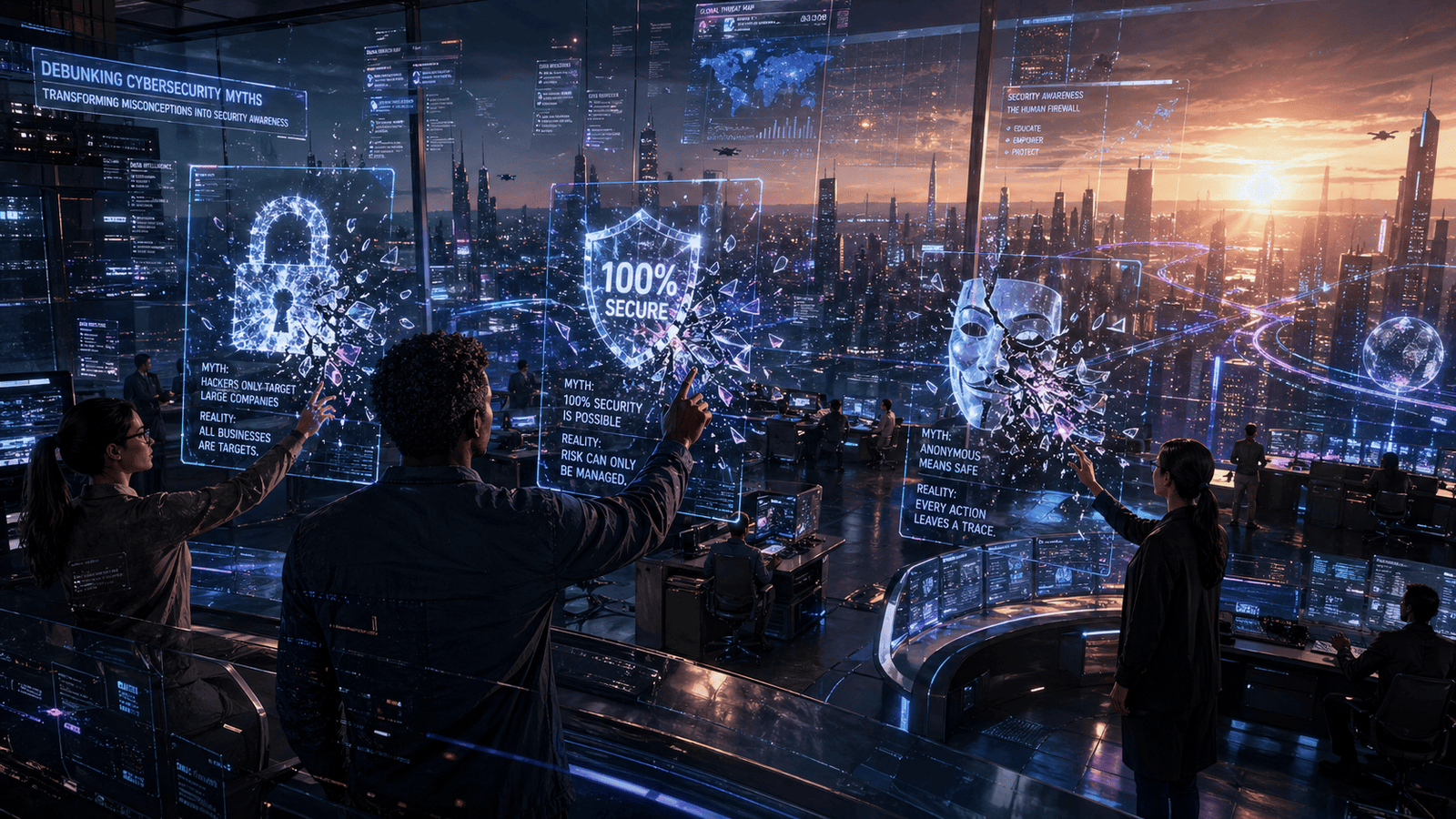
Myth #1: “I’m Not Important Enough to Be Hacked”
This is probably the most common cybersecurity myth. Many people think hackers only target celebrities, large companies or rich individuals. In reality, hackers often target everyday users because they’re easier to trick.
The Truth
Cybercriminals use automated tools that scan thousands of accounts and devices at once. They don’t care who you are personally. They care about:
- Weak passwords
- Old software
- Unprotected devices
- Easy access to data
For example, if your email password is simple like “123456” or “password123,” hackers can crack it within seconds. Even social media accounts can be valuable to cybercriminals because they can use them for scams or phishing attacks.
Simple Tip
Use strong passwords and enable two-factor authentication (2FA) on important accounts.
Myth #2: “Antivirus Software Protects Me from Everything”
Antivirus software is helpful but it’s not a magic shield. Some users think installing antivirus software means they are fully protected online. Unfortunately, cybersecurity is more complicated than that.
The Truth
Antivirus tools can detect many threats but they cannot stop every attack. Hackers constantly create new malware and scams. Some threats rely on human mistakes rather than software weaknesses.
For example:
- Clicking fake email links
- Downloading suspicious files
- Sharing passwords
- Visiting unsafe websites
Even the best antivirus software cannot always stop someone from accidentally giving away sensitive information.
Smart Cybersecurity Habits
To improve online safety:
- Keep software updated
- Avoid suspicious downloads
- Don’t click unknown links
- Use secure Wi-Fi networks
- Back up important files regularly
Cybersecurity works best when technology and smart habits work together.
Myth #3: “Mac Computers Don’t Get Viruses”
Apple users often believe Macs are completely immune to malware and cyberattacks. This myth became popular because Windows computers were targeted more often in the past.
The Truth
Macs can absolutely get viruses and malware. While macOS has strong security features hackers still create threats specifically designed for Apple devices. As Macs become more popular cybercriminals are paying more attention to them. Common Mac threats include:
- Fake software downloads
- Browser hijackers
- Phishing scams
- Spyware
No device is 100% safe.
What Mac Users Should Do
Mac users should still:
- Update their operating system
- Avoid sketchy websites
- Use strong passwords
- Enable security settings
- Stay alert for phishing emails
Good cybersecurity practices matter on every device.
Myth #4: “Public Wi-Fi Is Safe If It Requires a Password”
Free Wi-Fi at coffee shops, airports and hotels is convenient. But many people assume a password protected public network is fully secure. That’s not always true.
The Truth
Public Wi-Fi networks can still be risky. Hackers sometimes create fake Wi-Fi networks that look legitimate. Once connected users may unknowingly expose their personal information. Even on real public networks attackers can sometimes monitor traffic if the network security is weak.
Risks of Public Wi-Fi
Using public Wi-Fi can expose:
- Login credentials
- Credit card details
- Personal messages
- Browsing activity
Safer Ways to Use Public Wi-Fi
If you must use public Wi-Fi:
- Avoid online banking
- Don’t enter sensitive passwords
- Use a VPN if possible
- Turn off file sharing
- Use mobile data for important tasks
Myth #5: “Strong Passwords Are Enough”
Strong passwords are important but they are no longer enough on their own.
The Truth
Hackers use many methods besides password guessing including:
- Data breaches
- Phishing attacks
- Fake login pages
- Malware
- Credential stuffing
Even a strong password can be stolen if you enter it on a fake website. That’s why cybersecurity experts recommend extra protection layers.
Why Two-Factor Authentication Matters
Two factor authentication (2FA) adds another security step after your password. For example:
- A text message code
- Authentication app approval
- Fingerprint verification
This makes it much harder for hackers to access your accounts.
Best Password Practices
- Use unique passwords for every account
- Avoid personal information in passwords
- Use a password manager
- Enable 2FA whenever possible
Myth #6: “Cybersecurity Is Only for Big Businesses”
Small businesses often believe hackers won’t bother targeting them. This is a dangerous misunderstanding.
The Truth
Small businesses are actually common targets because they often have weaker security systems. Hackers know smaller companies may not have dedicated IT teams or advanced protection tools. A cyberattack can seriously damage a small business by causing:
- Financial loss
- Customer trust issues
- Downtime
- Stolen data
Even a simple phishing email can create major problems.
Small Business Cybersecurity Tips
Small teams should:
- Train employees about phishing
- Back up important data
- Update software regularly
- Limit access to sensitive information
- Use secure cloud services
Basic cybersecurity awareness can prevent many attacks.
Our Experience
As a small tech team we’ve seen how common cybersecurity mistakes can lead to real problems.
One client used the same password for multiple accounts. After one account was leaked in a data breach, hackers gained access to several other services within hours.
We’ve also seen users ignore software updates because they seemed annoying. Later their systems became vulnerable to malware that could have been prevented with a simple update.
One of the biggest lessons we’ve learned is this:
Cybersecurity isn’t just about expensive tools. It’s mostly about smart habits and awareness.
Simple actions like enabling 2FA checking suspicious emails carefully, and updating devices regularly can make a huge difference.
How to Stay Safe Online
Here are some beginner friendly cybersecurity tips anyone can follow:
Daily Cybersecurity Checklist
Protect Your Accounts
- Use strong unique passwords
- Turn on two-factor authentication
- Avoid sharing passwords
Protect Your Devices
- Update software regularly
- Install trusted security tools
- Lock devices with PINs or biometrics
Protect Your Data
- Back up important files
- Be careful with email attachments
- Avoid suspicious downloads
Stay Alert
- Watch for phishing scams
- Double check website URLs
- Don’t trust random pop-ups
Cybersecurity doesn’t need to be complicated. Small habits can greatly improve your online safety.
Frequently Asked Questions (FAQ)
What is the biggest cybersecurity threat today?
Phishing attacks are currently one of the biggest threats. Hackers trick users into clicking fake links or sharing personal information through emails, messages or fake websites.
Is free antivirus software enough?
Free antivirus software can provide basic protection but it may not include advanced security features. Safe browsing habits are still extremely important.
How often should I change my passwords?
You should change passwords immediately if an account is compromised. Otherwise, focus on using strong, unique passwords and enabling 2FA instead of changing them too frequently.
Can smartphones get hacked?
Yes. Smartphones can be hacked through malicious apps, fake links, insecure Wi-Fi networks or outdated software.
What should I do if I click a suspicious link?
Immediately disconnect from the internet if needed, run a security scan, change important passwords and monitor your accounts for unusual activity.
Conclusion: Cybersecurity Starts with Awareness
Cybersecurity myths can create a false sense of safety. The internet is full of opportunities but it also comes with risks that affect everyone not just big companies or tech experts. The good news is that staying safe online doesn’t require advanced technical skills. Simple habits like:
- Using strong passwords
- Enabling two-factor authentication
- Updating software
- Avoiding suspicious links
- Staying informed
can dramatically reduce your risk of cyberattacks. The more you understand cybersecurity the easier it becomes to protect yourself, your accounts and your personal information. In today’s digital world awareness is one of the strongest forms of protection.